

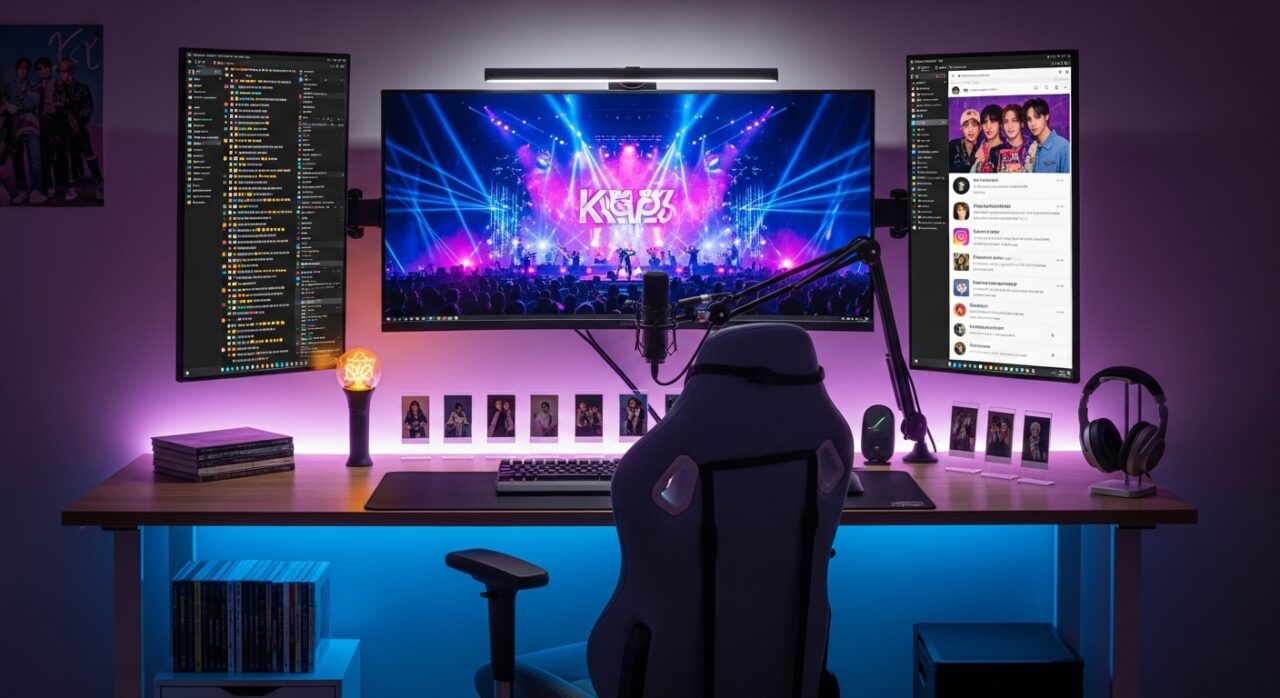
People who enjoy K-pop today must actively engage with the music genre as their primary occupation. The activity requires people to dedicate their entire day to its execution. K-pop supporters who want to watch all content from their favorite artists must watch music videos, vote on fan platforms, attend Weverse comeback showcases, follow Bubble messages from their favorite artists, and connect with others in their fandom through social media. K-pop fans use multiple digital channels to access content, yet most use their laptops or phones with limited display space, which creates unnecessary difficulties for them. The right hardware setup changes everything. Here is how to build one that actually keeps up with the pace of K-pop fandom.
1. Why Your Screen Setup Is Holding Your Fandom Back
K-pop multitasking faces its main limitation due to limited screen space. A 13-inch laptop screen makes it extremely hard to watch a YouTube MV for chart purposes while I track fan voting times, check the fandom Discord, and watch Weverse live stream videos. Something always gets minimized, which means missed moments, dropped streams, and slower reaction times during comeback events.
The solution is not a bigger screen, it is more screens. And in 2025, you do not need a permanent dual-monitor desk setup to get there. Display technology has finally caught up to what mobile, hyperactive fandom lifestyles actually need.
2. The Display Brand That K-pop Fans Are Discovering
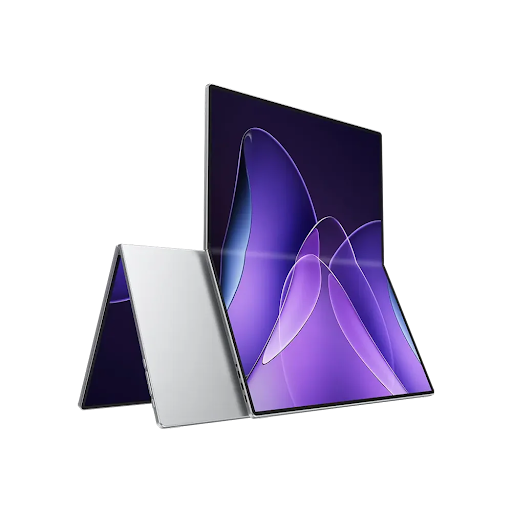
When fans discuss equipment improvements for their streaming systems, they usually focus on three items: headphones, speakers, and internet connectivity speed. The monitor that they use to watch their screen for extended periods during comeback week rarely gets mentioned. That is starting to change.
Display brand UPERFECT has built a catalog focused on the versatile, high-quality screens that multitaskers and content consumers need. Their displays focus on delivering a portable design that maintains both resolution and color accuracy and brightness. You need to see everything in the production design as the creative team intended, because you are watching your favorite group’s comeback MV. Your current screen displays 4K content with a flat, washed-out appearance, which causes you to miss essential visual details that K-pop productions intend to convey.
3. Building Your Streaming Command Center
A proper K-pop fan setup during comeback season typically needs to run four to six things at once: a chart-support YouTube stream, a music streaming app like Spotify or Melon, a fan community platform like Weverse or Bubble, social media for fandom coordination, a voting app like Whosfan or SuperStar, and ideally a secondary screen showing the live chat or a fan countdown timer. On a single display, that means constant window switching and the very real risk of accidentally pausing a stream that was counting toward chart performance.
The solution is a dual-screen configuration. Your primary laptop screen handles the active task, the MV, the live stream, the voting app, while a secondary screen stays dedicated to monitoring: fan chats, countdown timers, Weverse notifications, and social media. You stop missing things. The whole experience becomes less stressful and significantly more fun.
4. The Setup Upgrade Every K-pop Fan Needs: A Second Screen That Goes Anywhere
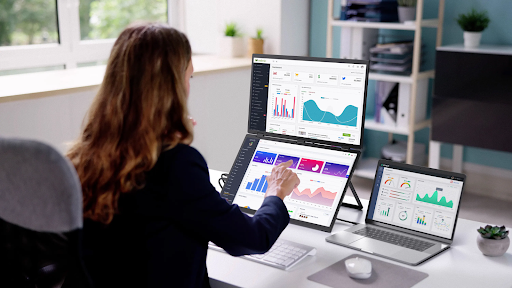
In recent years, K-pop fans have experienced their fandom in person as comeback events take place beyond their desks. The three scenarios include streaming at a friend’s group watch party, camping at a café for the midnight release, and supporting the group’s chart push from a hotel room during their trip. A dedicated streaming setup that only works at home misses the point entirely.
That is exactly what makes a portable monitor the single most practical hardware upgrade for serious K-pop fans. A slim, lightweight second display that connects to your laptop via USB-C, no external power, no complex setup gives you your full dual-screen command center anywhere you go. Watch the live performance stream on one screen while tracking real-time voting numbers or fan site updates on the other, whether you’re at home or across the country at a fan meet. Modern portable displays support Full HD and 4K resolution and weigh less than a hardcover book. It is the kind of upgrade that, once you use it during a comeback week, you cannot imagine going back.
5. Audio Setup: Because K-pop Deserves Better Than Laptop Speakers
Visual elements play a critical role in K-pop performances, which emphasize music as their main artistic element. The BTS and Aespa tracks demonstrate exceptional production quality through their multiple vocal layers, meticulously crafted bass sounds, and their spatial audio system, which enables high-fidelity sound reproduction. Laptop speakers flatten all of that. Even decent Bluetooth earbuds leave details on the table.
For a home fan setup, a compact stereo speaker system or a quality open-back headphone in the $80 to $150 range will transform how you experience music you have already heard hundreds of times. For streaming sessions where you need to stay aware of notifications, a single over-ear monitor headphone on one ear is a practical choice that serious fans have been using for years. Enable lossless audio on Spotify or Apple Music if your subscription includes it, the difference on a proper audio setup is immediately noticeable.
6. Display Technology That Makes K-pop Visuals Pop
K-pop music video production is among the most visually ambitious in the global music industry. Elaborate sets, precise color grading, high-speed choreography, and intricate lighting design are hallmarks of major-label productions. All of that visual craft is wasted on a display that cannot reproduce it accurately.
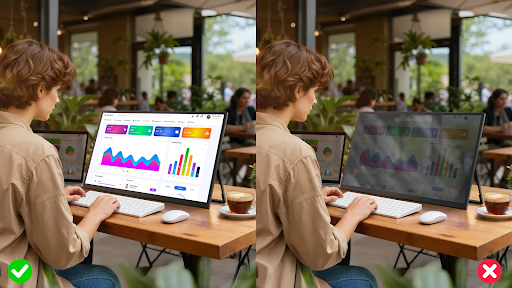
The NxtLED™ monitor technology from UPERFECT delivers deeper black levels, more vibrant colors, and sharper contrast than conventional LCD displays. The exact visual characteristics that enable viewers to experience K-pop’s high-production-value content through their visual system. SHINee, EXO, and Aespa establish their dark atmospheric comeback concepts through shadow detail and color depth, which cheaper displays cannot reproduce. This is where display panel technology matters more than most fans realize. A screen powered by advanced LED backlighting technology shows you what the directors and colorists intended.
7. Internet and Power: The Unglamorous Essentials
No fan setup survives a comeback season without reliable internet and enough power to run everything. Wired Ethernet over WiFi offers real benefits during peak streaming times because your router needs to handle both your internet traffic and traffic from nearby users. A USB-C hub with pass-through charging means your laptop stays at 100% even while powering a portable display, running multiple browser tabs, and keeping your phone topped up simultaneously.
A small UPS (uninterruptible power supply) for your desk setup, available for under $60, prevents the nightmare scenario of a power flicker cutting your stream count right in the middle of a critical chart push window. These are not exciting purchases. They are the ones that matter most when everything is on the line at midnight on comeback day.
8. Organizing Your Fan Setup for Comeback Season
The top K-pop fan setups operate through their workflow rather than their equipment. Before a comeback drops, set up your browser with dedicated windows for each task: one for YouTube MV streaming, one for Melon or Spotify, one for Weverse, and one for your voting apps. The use of Tab Groups browser extension or dedicated screen assignments for each category will enable users to switch between tasks quickly, avoiding chaotic switching.
Keep your fan community’s official streaming guide pinned and visible. Many organized fandoms publish detailed streaming schedules, platform-specific rules (no muting, no repeat playlists on certain apps), and regional timing windows. The specific setup you need to support your group work requires you to stream on your primary screen while showing this information on your secondary screen.
Fan Culture Deserves Fan-Level Hardware
The dedication K-pop fans pour into supporting their groups during comeback season, the late nights, the coordinated streaming pushes, the real-time voting windows deserves a setup built for the task. A dual-screen configuration with a portable display, quality audio, a reliable internet connection, and a display capable of doing justice to world-class visual production is not excessive. It is currently proportional to the experience of the K-pop fandom.
Start with the upgrade that addresses your biggest current frustration. If you are constantly switching tabs and missing live moments, the second screen comes first. If your speakers are destroying the audio mix, fix that next. Build the setup incrementally and let each upgrade show you what you were missing before. Your bias worked hard on that comeback. Your setup should do it justice.
 Hellen Reta